User Description
🎃 Pumpkin Halloween Stash, build by ElPoyo__
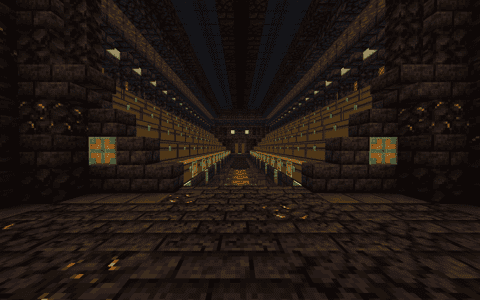
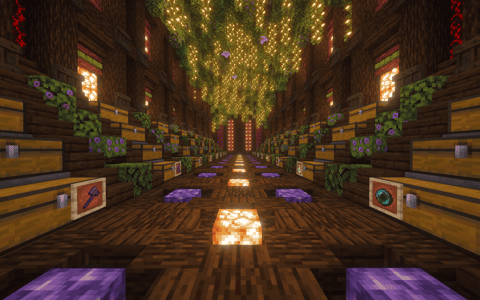
A cozy hidden stash built inside a giant pumpkin! Walk down the glowing hall: the glass floor sits right above flowing lava, with a line of froglights leading to the carved pumpkin face at the back.
• 30 double chests on stepped shelves along both sides
• Jack o'lanterns, candles, lanterns and soul lanterns for that spooky Halloween mood
• Leafy ceiling with hanging lights, plus pumpkin faces on both end walls
• Compact footprint (17×18), about 1,600 blocks, easy to build in survival
Litematica schematic, Minecraft 1.21. Perfect as a seasonal base or a secret storage room. Happy Halloween! 👻
Details
Initializing...
Rough estimate using the latest auction house (/ah) price history. Actual in-game prices can vary.
| Material | Unit Price | Count | Subtotal |
|---|---|---|---|
| $70,312.50 | 21 | $1,476,562.50 | |
| $3,046.88 | 476 | $1,450,312.50 | |
| $8,812.50 | 128 | $1,128,000.00 | |
| $8,099.50 | 64 | $518,367.68 | |
| $14,640.63 | 19 | $278,171.88 | |
| $8,203.13 | 30 | $246,093.75 | |
| $9,843.75 | 24 | $236,250.00 | |
| $8,554.69 | 24 | $205,312.50 | |
| $8,820.31 | 22 | $194,046.87 | |
| $2,332.02 | 60 | $139,921.41 | |
| $4,054.69 | 32 | $129,750.00 | |
| $7,031.26 | 18 | $126,562.64 | |
| $2,500.00 | 42 | $105,000.00 | |
| $1,671.86 | 57 | $95,295.98 | |
| $4,017.86 | 3 | $12,053.57 | |
| N/A | 10 | N/A | |
| N/A | 21 | N/A | |
| N/A | 60 | N/A | |
| N/A | 41 | N/A | |
| N/A | 7 | N/A | |
| N/A | 60 | N/A | |
| N/A | 108 | N/A | |
| N/A | 20 | N/A | |
| N/A | 3 | N/A | |
| N/A | 7 | N/A | |
| N/A | 55 | N/A | |
| N/A | 8 | N/A | |
| N/A | 2 | N/A | |
| N/A | 91 | N/A | |
| N/A | 24 | N/A | |
| N/A | 19 | N/A | |
| N/A | 7 | N/A | |
| N/A | 28 | N/A | |
| N/A | 20 | N/A | |
| N/A | 12 | N/A | |
| Total | $6,341,701.28 | ||


Comments
Sign in to leave a comment.
No comments yet.
How to Use This Schematic
To use this schematic in your Minecraft world, you will need the Litematica mod installed on Minecraft Java Edition.
- Install Litematica using Fabric or Forge.
- Place the .litematic file inside your schematics folder.
- Launch Minecraft and open the Litematica menu.
- Load the schematic and position it in your world.
- Begin placing blocks following the preview overlay.
Tips & Requirements
You will need Minecraft Java Edition with the correct version of Litematica installed.
If the file does not appear in-game, confirm the .litematic file is in your schematics folder and that your mod version matches your game version.
Use the placement preview before building so you can rotate or move the structure if needed.
Learn More
Import the file into your preferred schematic tool and verify version compatibility before placing it in-game.